The M6 was announced on Feb 15, 2017 for $779. I got mine on March 31, 2017
4/3/17 First Impressions
15-45
- I bought the silver model with the kit lens. I bought the kit lens since it was only $120 more, though I didn’t really need it. The kit lens is plastic! The mount, the barrel, the feel of it is plastic. Looking at it though it appears to be metal. It’s lighter than the 18-55 and has a lens lock button that has to be released before the lens is used just like the 11-22.
- Once extended to use, the shortest extension of 28mm is about the same length as the 18-55 fully retracted at 18mm
- Fully extended the 18-55 sticks out about .75″ more
- For weight and size the 15-45 is smaller and lighter.
- I can see 7 seams around the barrel of the lens. During hard field use, not sure how it would hold up. I have a few dents in my 18-55 after a couple years of use. Not sure how that would have looked on plastic.
- I will test out optically soon.
M6 Body
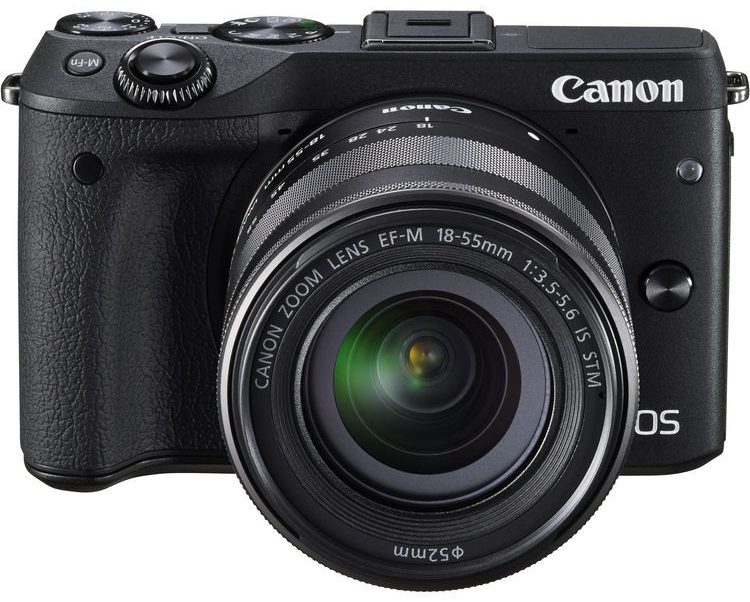
- The M6 body is heavier than the M3
- The camera strap mounts that first appeared on the M5 I absolutely hate. The one on the right digs into my index finger when holding my M5. The M6 I can actually modify my grip just a bit to avoid the camera strap mounts so not as big of an irritant as the M5, but Canon should have just used the same mounts as the M3.
- The base and top plates are plastic. The M3’s are metal. I don’t think this will end up being an issue in terms of durability etc. The paint will probably rub off? I don’t know.
- The on and off switch is better than the M5 since a user has to use two hands to turn it on and off, the right to support the camera and the left to turn the switch on or off. The M3 allowed a user to hold the camera in the right hand and turn on and off the camera with the right index finger. The M6 set up allows one handed operation but is not as easy to manipulate as the M3. Insignificant? Not really. When shooting all day I constantly turn the camera off to extend battery life.
- The arca swiss mount that I use the PX1R from promediagear no longer fits perfectly since Canon changed the LCD! Canon machined out a portion of the LCD but the scoop is not large enough to accommodate the plate so the LCD doesn’t close all the way. Unfortunate. In real world use, this hasn’t been a problem. I keep the camera in my camera bag when not shooting it and the little bit of travel required to close the LCD completely so it clicks hasn’t been an issue, nor do I think it will be in the future.
- There now appears to be two microphones one to the left and one to the right of the hot shoe.
- The control dial is identical to the M3 except an additional C2 selection.
- The front dial works the same, 1/3 of a stop for each detent. The knurling is deeper and digs in for a better grip than the M3
- In Av mode, the rear dial controls the ISO without pressing another button simultaneously or before.
- In Tv and P mode the rear dial also controls the ISO. In M rear=aperture front=shutter speed
- The record and play buttons are in the top right corner of the back of the body of the M3, but now that section is the * and ?? button. I like the record and play buttons in their original positions. The M5 moved them. This may seem like something you just have to unlearn and relearn, but on the M5 I hit the record button accidentally several times, so the location is a problem. If you use both cameras on a shoot, it will also be a problem. I’m not sure why Canon would move the buttons around? Did users complain and they thought this was a better placement?
- One of the main complaints I had about the M3 is the shot to shot time and how quickly the buffer filled up allowing me about 1/FPS. My one and only test using http://www.online-stopwatch.com/full-screen-stopwatch/ and setting the M6 to Av, Continuous High, ISO 3200, F5.0, 1/500 sec, manually focusing, and starting with an empty formatted Sandisk 90 mb/sec. I shot in raw like I always do, but then Preview on a Mac and Adobe DNG would not read the raw files. I will insert images in here later, but looking at the images on the camera, in one second 9 frames were shot, the next second 8 frames were shot, after that I got 0.5/FPS. When I stopped shooting, it took approximately 30? seconds to clear the buffer timed from when the shutter was released until the green light stopped blinking. This is good for 1-2 second bursts of up to 17 shots, but then lift you finger from the shutter button and let the buffer clear. Only use Continuous High when you absolutely need it. Try to shoot for only 1 second since the buffer takes a long time to clear. Better yet, shot with single shot or Low speed continuous. For the times when you just hold the shutter button down and follow the action for more than 2 seconds you will need a different camera. I’d recommend a Canon 7Dii or Nikon D500 will be your best options.
- Like the M3, the flip up screen is great for macro work, selfies, and shooting from the hip.
- The shutter seems loud, I’ll have to figure out some way to test it and compare it to the M3.
- In summation, this is a great update from the M3 and solves the two major complaints I had with it, lack of a wired remote port and slow shot to shot times. The shot to shot times was not solved completely, but good enough. Wanting faster shot to shot times and a larger buffer will require a different body since a firmware generally won’t fix a buffer since that’s hardware and not soft/firmware usually.
 Canon M Cameras